golfrecruit.ai User Guide

Start with your profile. Build My Schools. Keep moving.

golfrecruit.ai turns your golf data, academics, and preferences into a school list you can understand and act on. This guide covers the core workflow.

The core workflow

Three steps to a school list you can use.

Step 1

Complete the profile that powers your matches.

Connect Junior Golf Scoreboard, confirm your class year, and add academics, preferred majors, location, cost, and division preferences. Your class rank and scoring differential are read-only verified fields.

Not ranked yet? You can still explore programs and ask the AI Coach to explain JGS, ranking eligibility, and the next tournaments or benchmarks to work toward.
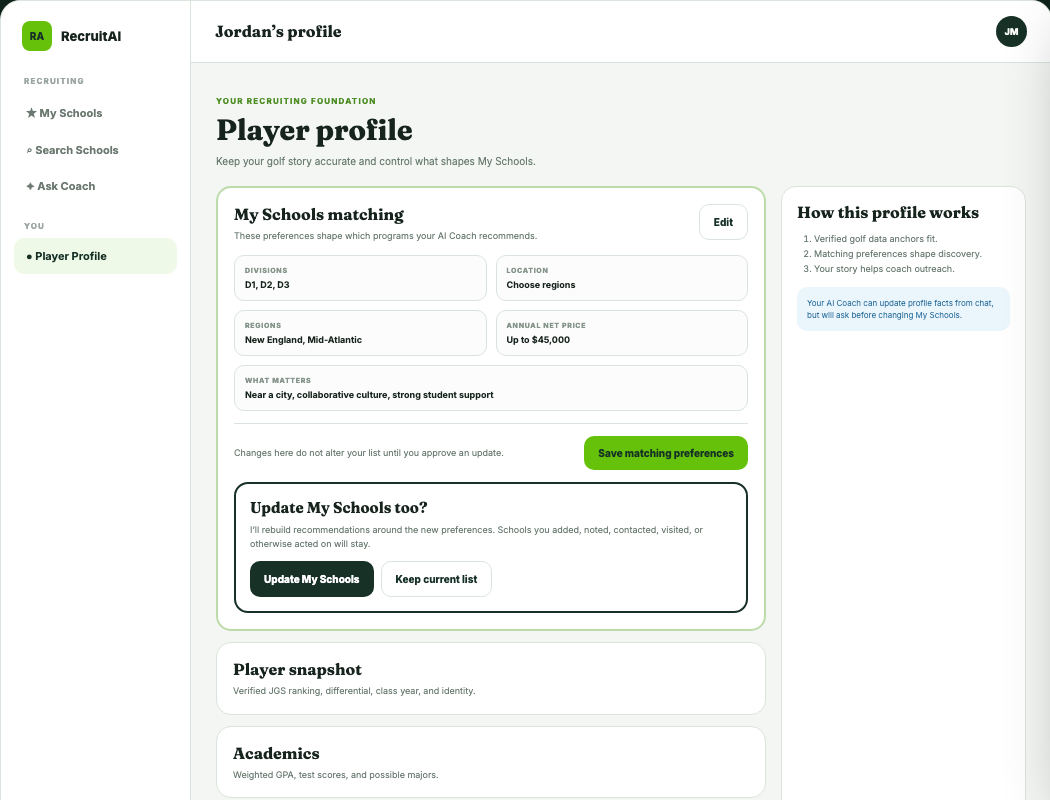
golfrecruit.ai player profile with verified golf data and My Schools matching preferences
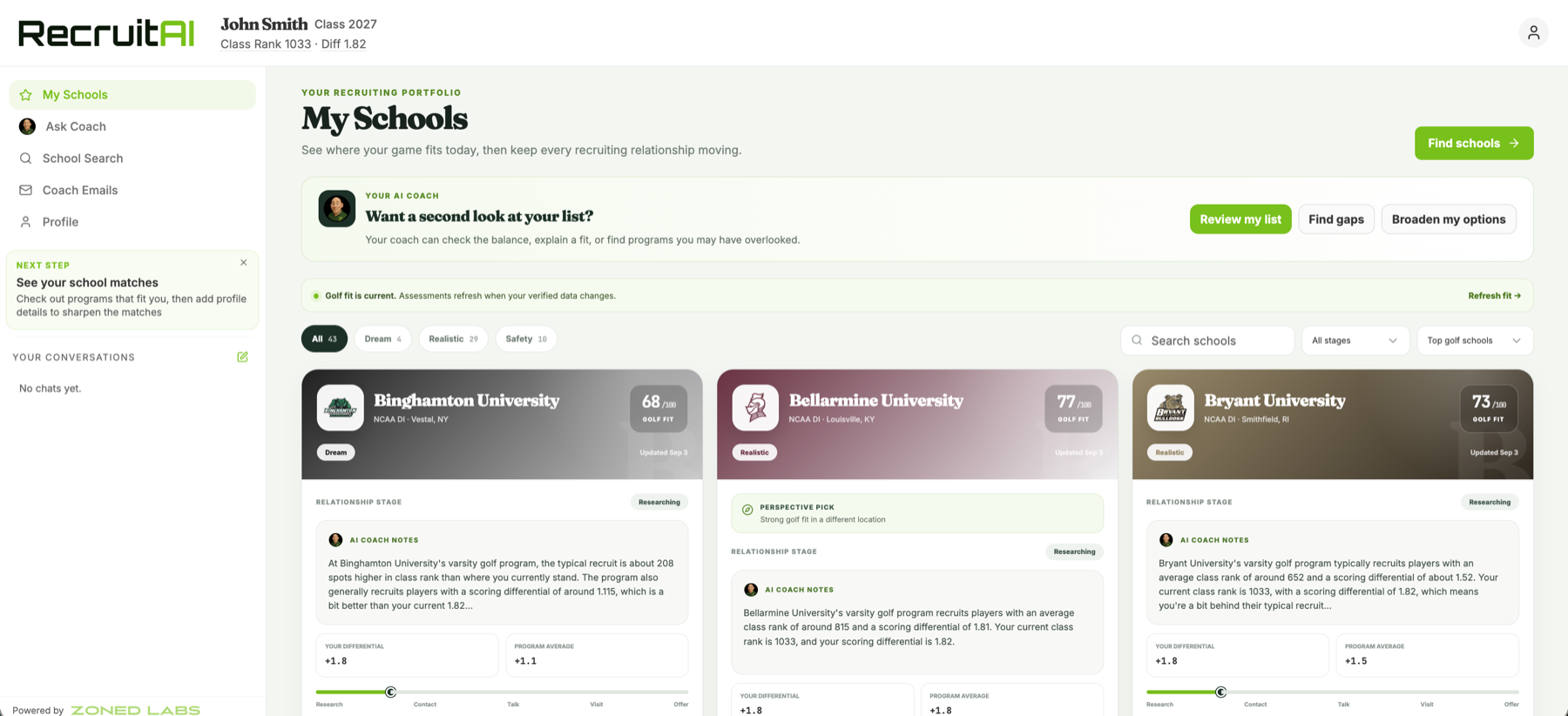
golfrecruit.ai My Schools portfolio with branded program cards, Golf Fit guidance, and recruiting stages

Step 2

Use My Schools as your recruiting home.

My Schools brings your recommended and saved programs into one portfolio. Filter by Dream, Realistic, or Safety, search your list, and track each relationship from early research through an offer.

AI Coach notes explain the golf fit on every card. Your private notes, outreach, and relationship progress stay with the school as your list changes.

Step 3

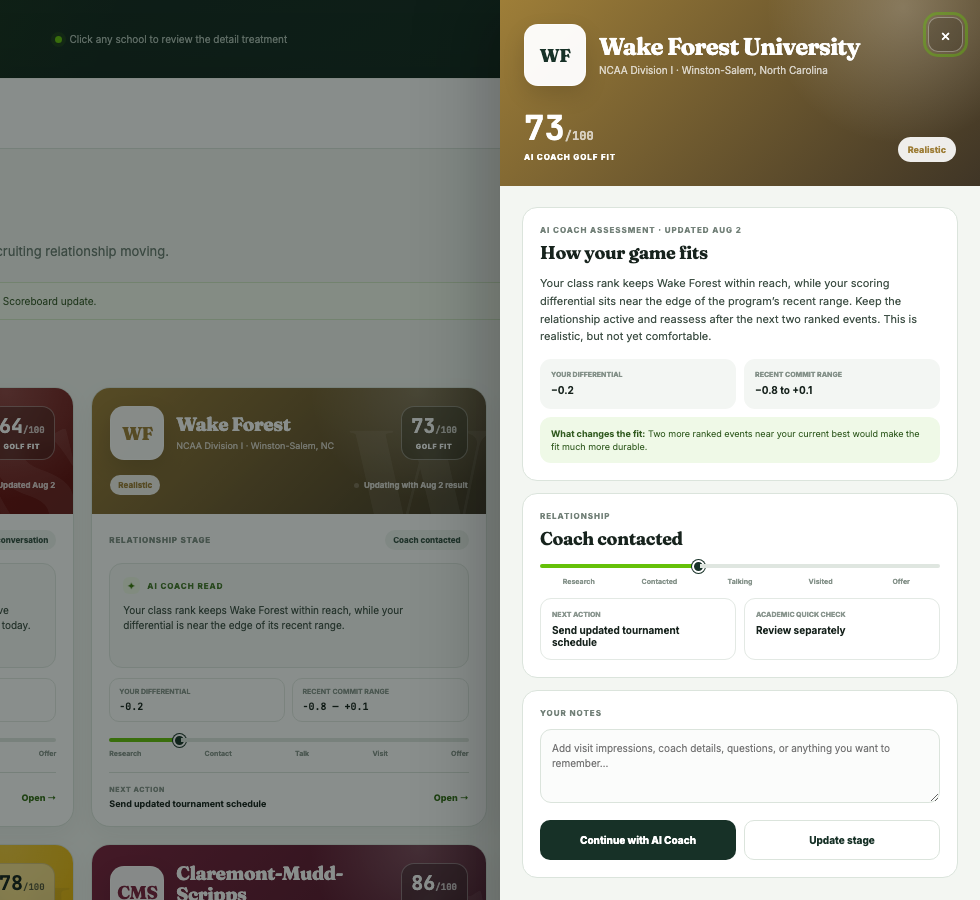
Open a school before you decide what to do next.

Open any program to see the full Golf Fit assessment, the evidence behind it, and the next action. The same view brings together coaching contacts, roster and team data, academics, cost, majors, outcomes, relationship stage, and notes.

Golf Fit stays golf-first. golfrecruit.ai shows academic and financial information separately so your family can make the broader college decision.

Open My Schools program showing Golf Fit, AI Coach assessment, relationship stage, and notes

Reading Golf Fit

A recommendation, with the reasoning attached.

Golf Fit uses your verified golf profile, class year, and the patterns of players a program has recruited. Read the score with the AI Coach explanation, not by itself.

Dream

A program worth following, with a meaningful golf gap to close.

Realistic

Your current profile is within reach of the program's recent commit pattern.

Safety

Your current golf profile compares favorably with recent commits.

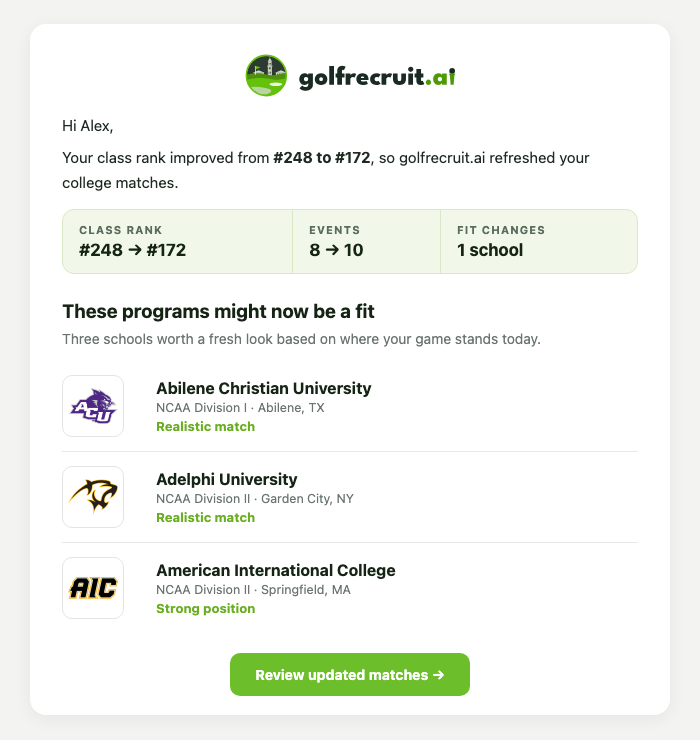
golfrecruit.ai email explaining a rank update and programs that may now fit

When your game changes

Review the list with new information.

When verified performance changes meaningfully, the AI Coach can refresh Golf Fit and golfrecruit.ai can surface additional programs for you to review. It does not silently replace the schools you chose.

  • Manually added schools stay on your list.
  • Notes, outreach, visits, and relationship progress are retained.
  • golfrecruit.ai shows you new programs and waits for your approval before saving them.

From research to outreach

Keep the next action with the school.

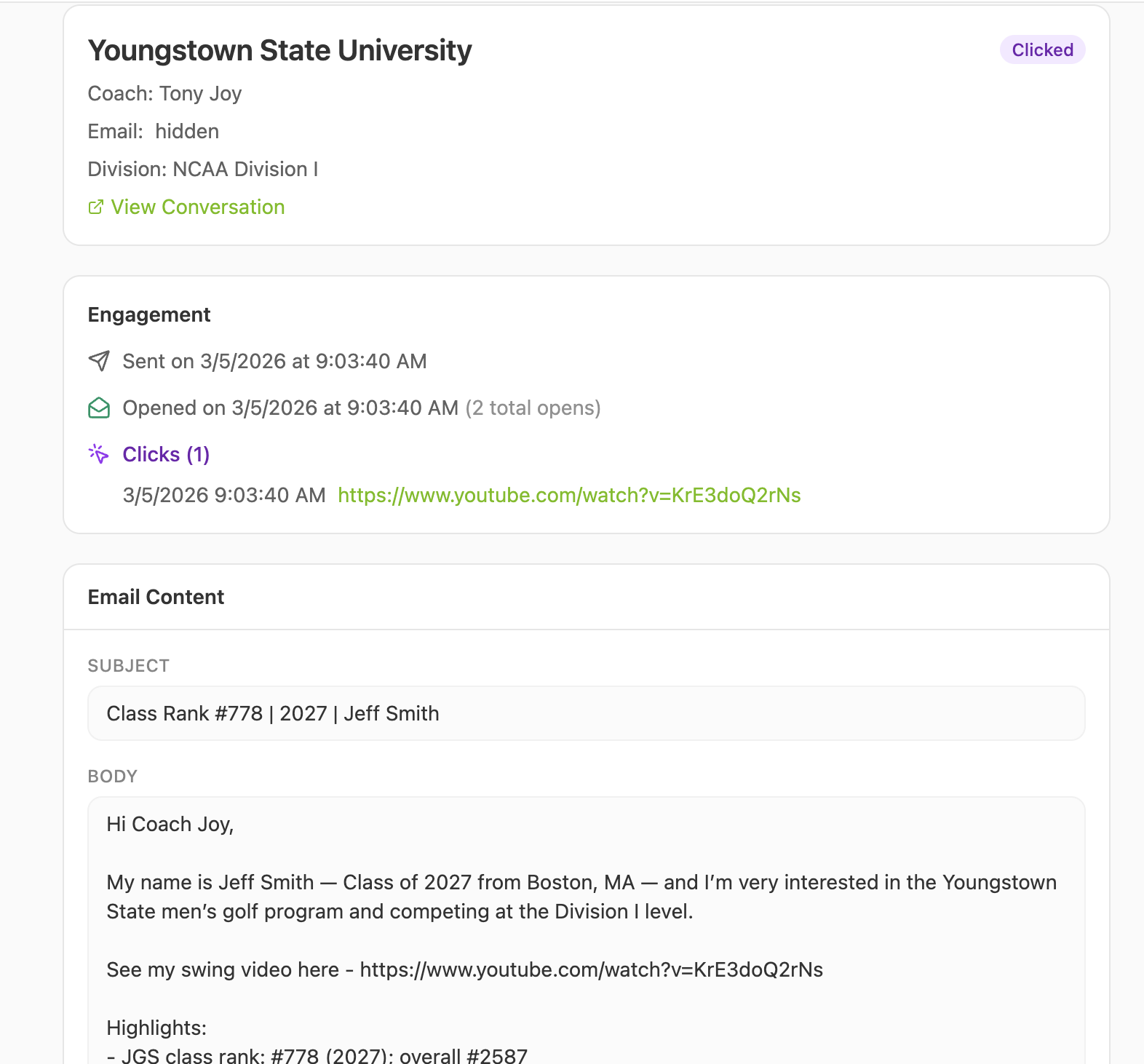
Use the school detail view and AI Coach to decide what to ask, then draft a message with the player's real stats and program context. Sent emails, opens, and clicks help you plan a thoughtful follow-up.

Track engagement

See whether a message was opened or a link was clicked.

Keep the context

Return to the school with your notes and relationship stage intact.

golfrecruit.ai coach email with sent, open, and click activity

Ask the AI Coach when you need context.

Ask why a school fits, what to improve, how to prepare for a coach conversation, or where your list has gaps. The AI Coach uses your profile and school context, while you make the final recruiting decisions.

See your matches

Need help with your account? Email support@zonedlabs.com.